
Appearance
CSSBuy QC Photos for Brazilian Shoppers: What to Review Before Shipping
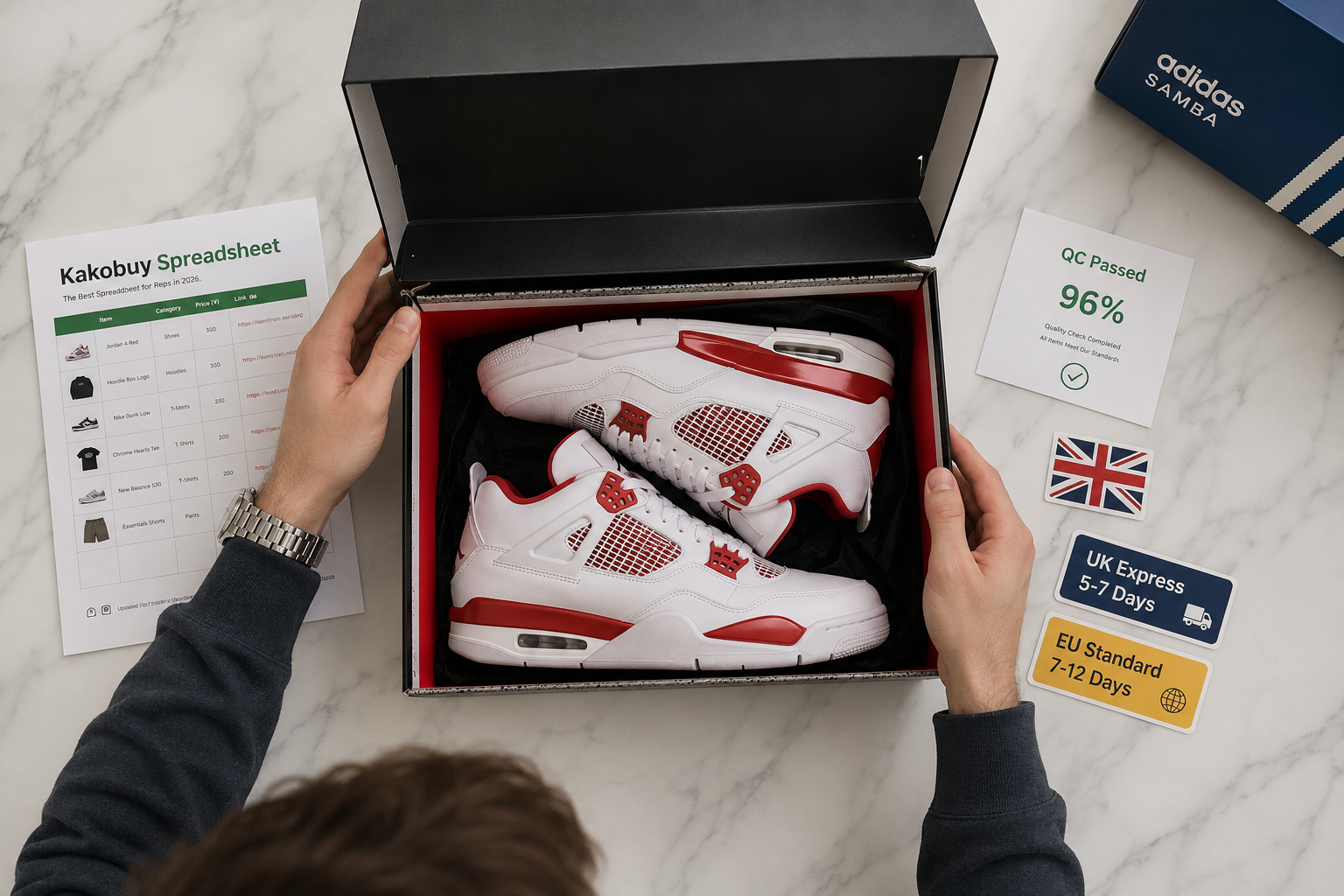
CSSBuy QC photos are a practical tool for Brazilian shoppers who use a Chinese shopping agent to buy items from marketplaces like Taobao, 1688, Tmall, Goofish/Xianyu and Zhuanzhuan. This article explains how cssbuy qc brazil, cssbuy qc pics, and cssbuy quality check services work, what to inspect in the photos, and which next steps to take before authorizing shipment to Brazil.
What CSSBuy QC Photos Are
QC photos are images taken by CSSBuy staff or their warehouse partners to show the actual product and, often, the outer packaging before international shipment. They are part of CSSBuy’s QC and storage services and can help shoppers confirm that product listings match the received item.
QC photos relate to the agent’s Buy for me and Ship for me workflow: after you place an order (for example by pasting a product link), CSSBuy can receive the parcel, take quality-check pictures, and store the item in free storage until you request shipment.
How to Request QC Photos
When placing an order through CSSBuy, include the product link and select available QC options in the order flow or contact support to request qc pics. Many shoppers also use the in-site order notes or customer service chat to ask for specific angles or close-ups.
Because procedures and timeframes can change, always confirm the exact request method, timing, and any potential fees at checkout or with CSSBuy support before assuming QC photos are included.
Key Details to Inspect in QC Pics
Review the photos for the correct model, color, size, and visible accessories — check tags, labels, and distinguishing markings to match the product listing. Look for stitching, seams, print alignment, surface defects (scratches, stains), and any missing parts.
Ask for measurements or a size-comparison object in photos if fit is important, and request close-ups of serial/model numbers or labels when authenticity or model accuracy matters to your purchase decision.
Packaging and Pre-Shipping Checks
QC photos often include the outer parcel so you can inspect packaging integrity: torn boxes, crushed corners, exposed items, or incorrect sealing can be visible before shipment. CSSBuy offers packaging checks and free storage, allowing time to request repackaging or additional protection.
Take note of shipping labels, seller-origin packaging, and whether original retail packaging is present if that matters to you. If you need photos of how items are placed together (for consolidated parcels), request combined photos before approving shipment.
Common Issues QC Photos Reveal
Typical problems shown in QC pics include wrong color or size, missing accessories, visible damage, or poor seller packaging that risks transit damage. Photos also help spot items that differ noticeably from the product listing images.
If you discover issues, contact CSSBuy support right away to discuss options such as asking the seller for a replacement, requesting additional evidence, or holding the parcel in storage while you decide.
Requesting Re-Checks, Additional Photos, or Videos
You can normally ask for extra images or a short video if standard QC photos do not provide enough detail; specify the angles or features you want to verify. Video can show movement, zippers, or sounds that still photos cannot capture.
Timing, limits on revisions, and any extra fees may vary, so confirm those conditions with CSSBuy support or at checkout before relying on multiple re-checks.
Practical Tips for Brazilian Shoppers Before Final Shipping
Double-check shipping options (CSSBuy references more than 150 international shipping lines), insurance references, and available parcel consolidation choices so you can choose what best fits your priorities. Also review holiday notices and storage limits in case timing matters.
Before approving shipment, verify costs, delivery estimates, insurance coverage, and any customs or import considerations with CSSBuy support and at the checkout screen — these details can change and must be confirmed directly with CSSBuy.
Practical checklist
- Request QC photos (qc pics) before approving shipment.
- Confirm item details in photos: color, size, model, and visible accessories.
- Inspect tags, labels, serial/model numbers, and stitching in close-ups.
- Ask for photos of outer packaging and consolidated parcel layout if needed.
- Request extra photos or a short video for unclear areas.
- Keep QC photos and order records for communication with support.
- Verify shipping line, insurance options, and storage rules at checkout/support.
- Contact CSSBuy support immediately if photos reveal damage or wrong items.
Frequently asked questions
Are QC photos free and included with every order?
CSSBuy mentions QC and storage services and free storage, but specific inclusion and potential fees for detailed qc pics can vary by order and service level. Confirm whether QC photos are included, how many images you will receive, and any charges at checkout or with CSSBuy support.
Can I ask for additional photos or a video if the QC pics aren’t enough?
Yes — you can request more photos or a short video to clarify doubts about an item, but availability, turnaround time, and any extra costs depend on CSSBuy’s current policies. Always verify the process and expected timing with CSSBuy support before relying on additional media.
Do QC photos guarantee there won’t be problems after shipping?
QC photos help you evaluate visible condition and packaging before shipment, but they cannot guarantee that transit or customs processes will not cause issues later. If problems arise after shipping, contact CSSBuy support to learn about insurance options, dispute procedures, and next steps.
What should I do if the QC photos show the wrong item or visible damage?
If QC photos show a wrong item or damage, notify CSSBuy support immediately to discuss options such as requesting a replacement from the seller, additional evidence, or holding the parcel in storage. Because resolution mechanisms and timelines change, confirm the exact steps and any possible outcomes with CSSBuy support and at checkout.
Conclusion
QC photos are a valuable tool for Brazilian shoppers using CSSBuy to reduce uncertainty before international shipment. Use the photos to verify item details, packaging, and visible condition, and always confirm service options, timing, and any fees directly with CSSBuy at checkout or via support before approving final shipment.
Explore related products
For readers who want to continue exploring relevant products, Browse all products on RepsOotd. Product availability and search results can change, so verify the current listing before ordering.
How this guide was prepared
Official reference: CSSBuy official website. Verify current service terms, prices, payment options, shipping lines, customs requirements and promotions at checkout or with CSSBuy support.
This article was prepared using the official CSSBuy facts supplied in the prompt: CSSBuy is a shopping agent connecting the Chinese market with shoppers worldwide and offers services such as Buy for me, Ship for me, QC and storage, packaging checks, references to Taobao/1688/Tmall/Goofish/Xianyu/Zhuanzhuan, customer reviews, support, insurance references, free storage, QC photos, submitting parcels, and more than 150 international shipping lines. Because service details (fees, timing, available photo types, and shipping or customs processes) can change, current checkout and support must confirm changing details before you finalize decisions.